 DocuGram
DocuGram

💛 Support Page Telegram directly
💳 Donate
Current Version: 2.0.1
7
Unique Views
4
Free Downloads
0
Donation Downloads
Docugram
A self-hosted, open-source document management and publishing platform built with PHP. Organize, store, and share documents and media files through a clean web interface — with no database required. ---Overview
Docugram gives you a searchable, browsable library for documents, code, video, audio, and images. A public-facing frontend lets visitors browse and search your content; a secure admin panel lets authorized users upload files, manage folders, and configure the site. Everything is stored as flat JSON files, so there's nothing to configure beyond a web server with PHP. ---Features
Public Frontend
- Browse documents through hierarchical folders with breadcrumb navigation
- Full-text search including text extracted from PDF documents
- Filter content by type: Documents, Video, Audio, Images
- Individual document detail pages with PDF viewer, media players, and syntax-highlighted code display
- Word cloud of popular searches
- Responsive, mobile-friendly layout with paginated AJAX "Load More"
- Open Graph metadata for social sharing
- Upload and manage documents with automatic thumbnail generation
- Organize content into nested folders
- Publish or unpublish individual items
- Manage user accounts with Admin and Editor roles
- Configure site branding: title, logo, favicon, description, custom CSS
- Text cleanup utility for correcting OCR-extracted content
- Track view counts and document statistics
- bcrypt password hashing (cost factor 12)
- CSRF protection on all form submissions
- Rate limiting on login attempts (5 per 15 minutes)
- MIME type and magic-byte validation on file uploads
- Session timeout after 1 hour ---
Admin Panel
Security
Supported File Types
| Category | Extensions |
|---|---|
| Documents | PDF, DOC, DOCX, XLS, XLSX, PPT, PPTX, TXT, MD, TeX, ZIP, RAR |
| Code | PY, SH, BASH, BAS |
| Video | MP4, WebM, MOV, AVI |
| Audio | MP3, WAV, OGG |
| Images | JPG, JPEG, PNG, GIF, WebP |
Technology Stack
| Layer | Technology |
|---|---|
| Backend | PHP 7.4+ |
| Storage | JSON flat files (no database) |
| Frontend | HTML5, CSS3, vanilla JavaScript |
| Syntax highlighting | Highlight.js |
| Password hashing | PHP PASSWORD_BCRYPT |
Directory Structure
docugram/
├── index.php               # Homepage — document browsing
├── detail.php              # Individual document page
├── search.php              # Advanced search
├── login.php               # Authentication
├── logout.php              # Logout handler
├── setup.php               # First-run setup / admin account creation
├── admin.php               # Admin panel hub
├── admin-dashboard.php     # Stats dashboard
├── admin-items.php         # Document management
├── admin-folders.php       # Folder management
├── admin-users.php         # User management
├── admin-settings.php      # Site configuration
├── admin-textcleanup.php   # OCR text cleanup utility
├── upload.php              # File upload handler
├── delete.php              # Document deletion handler
├── edit.php                # Quick edit handler
├── api-items.php           # AJAX API for pagination
├── includes/
│   ├── config.php          # Configuration and settings loader
│   ├── auth.php            # Authentication functions
│   ├── csrf.php            # CSRF token handling
│   ├── functions.php       # Core business logic
│   ├── file-handler.php    # File upload and validation
│   ├── header.php          # HTML header template
│   └── footer.php          # HTML footer template
├── assets/
│   ├── css/
│   │   ├── style.css       # Main stylesheet
│   │   └── custom.css      # Admin-injected custom CSS
│   ├── js/
│   │   ├── main.js         # General functionality
│   │   ├── lightbox.js     # Image/document quick-look modal
│   │   └── clipboard.js    # Copy-to-clipboard for code blocks
│   └── vendor/             # Third-party libraries
├── data/
│   ├── items.json          # Document metadata and content index
│   ├── users.json          # User accounts
│   ├── settings.json       # Site settings
│   ├── search_keywords.json # Search term tracking
│   └── rate_limits/        # Login attempt records
└── uploads/
    ├── documents/           # Uploaded non-image files
    ├── images/              # Images and generated thumbnails
    └── previews/            # Generated document previews
Installation
data/, uploads/, and assets/css/ directories.
setup.php in your browser to create the first admin account.
login.php and configure your site title, logo, and description under Admin → Settings.
Requirements
json, fileinfo, mbstring, gd (for thumbnail generation)
Usage
Uploading Documents
From the admin panel, go to Documents → Add New. Select a file, fill in the title and optional description, choose a folder, and publish.Organizing Content
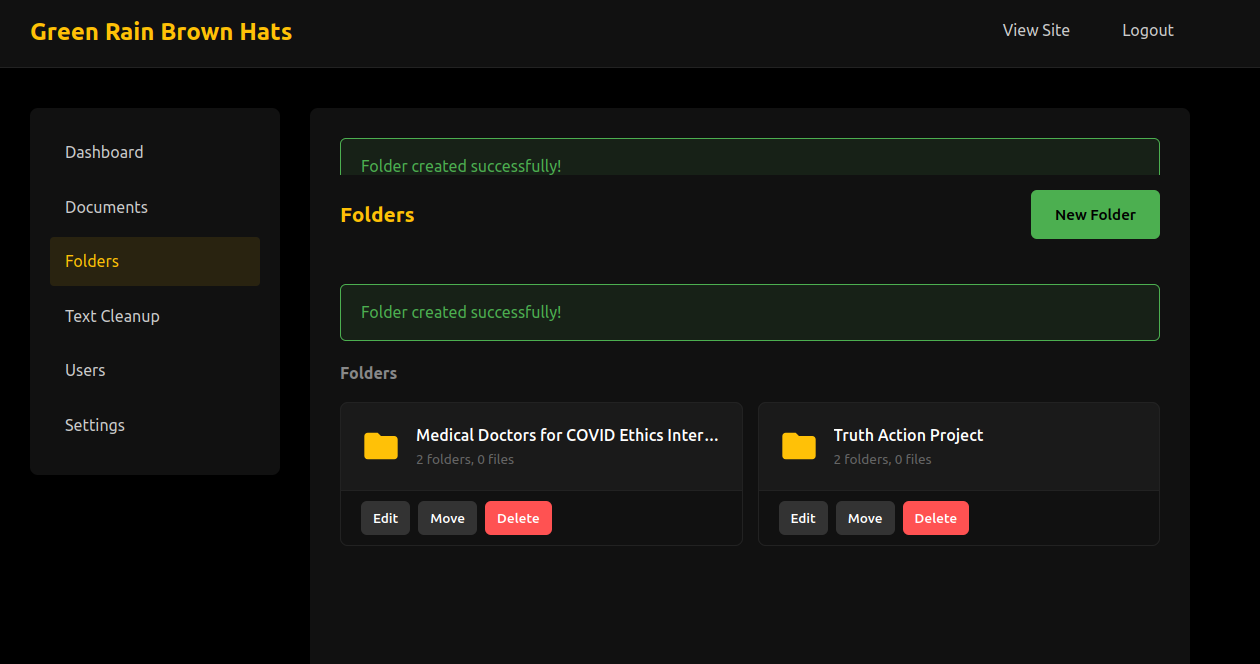
Create a folder hierarchy under Folders. Nested folders appear as a tree in the public browsing interface.Searching
The search page supports full-text search across document titles, descriptions, tags, and extracted PDF text. Results can be scoped to a specific folder and filtered by file type.User Roles
Configuration
Most settings are managed through the admin panel under Settings:| Setting | Default |
|---|---|
| Items per page | 12 |
| Max upload size | 50 MB |
| Syntax highlight theme | Dracula |
| Session timeout | 1 hour |
License
Creative Commons Brown Hats / Jason Page SeeLICENSE for details.Download Options
Free Download: Source code is freely available below.
Compiled Versions: Support development with a PayPal donation.
Compiled Versions: Support development with a PayPal donation.
Free Downloads
📦 Download Source CodeChangelog
No changelog available.